Bridge owns the message path
Source login, provider/topic identity, format rewrites, entry filters, freshness, duplicate detection, routing and optional provider total lot.
A beginner-first guide for Navigator Bridge 8.00 and the prepared Trade Copier Ultimate 8.00 paid/demo builds. It separates source access, Bridge policy and MT5 execution so every “why didn’t it trade?” question has a concrete place to look.
Source login, provider/topic identity, format rewrites, entry filters, freshness, duplicate detection, routing and optional provider total lot.
Final account readiness, symbol resolution, lot normalization, pending/market placement, SL/TP and exact-ticket management.
Prepared v8.00 supports the current feature set and live/demo use subject to licensing. This guide does not claim v8.00 is already published on MQL5 Market; check the official listing.
The demo contains paid functions but has a demo-account firewall. Live/contest rejection is intentional; use a supported demo account or the paid edition.
Mark each step as you complete it. Progress stays on this device.
New/clean install: full v8.00 OCR installer. Existing install: optional in-app update or portable 8.00 updater. Upgrades preserve settings/session/history; clean profiles start with external ingestion and auto-start OFF.
Install the paid or demo EX5 through its intended distribution path. Open one MT5 chart and attach TCU. A fresh attachment should remain DISARMED.
MT5 → Tools → Options → Expert Advisors → Allow WebRequest. Add exactly http://127.0.0.1:5555.
http://127.0.0.1:5555TCU Source: Bridge Mode ON, Bridge Port 5555. Keep direct Telegram Bot API OFF unless intentional. The legacy Bot/API command toggle in System can stay OFF; Bridge Reply Commands are independent.
Enable global Algo Trading and allow algorithmic trading for the EA. TCU Home must show AutoTrading ON. Keep TCU DISARMED.
Dashboard: start Bridge. HTTP / EA should be Online. MT5 Accounts must show the exact demo broker/account with a recent heartbeat.
For MTProto, complete QR/code login, refresh Groups, choose one provider/topic, then route only that source to the demo account.
Use EA FIXED 0.01 total signal, or BRIDGE PROVIDER with a 0.01 provider rule. Do not combine EA-calculated and Bridge provider lots.
Choose an open market on demo. Arm only after the route is visible. Send one unique signal and match History → Activity Feed → Experts → MT5 order.
Enter your Telegram API ID and API Hash, request a QR, then scan with the Telegram app for the intended account. That scanning account becomes the Bridge account; phone is not used by QR.
Enter API ID, API Hash and phone. Telegram delivers a login code; complete 2FA locally when required.
A separate optional source for chats where your bot has access. It does not use the MTProto user session.
A separate optional destination for serious status notifications. Alerts do not ingest signals and stay OFF by default.
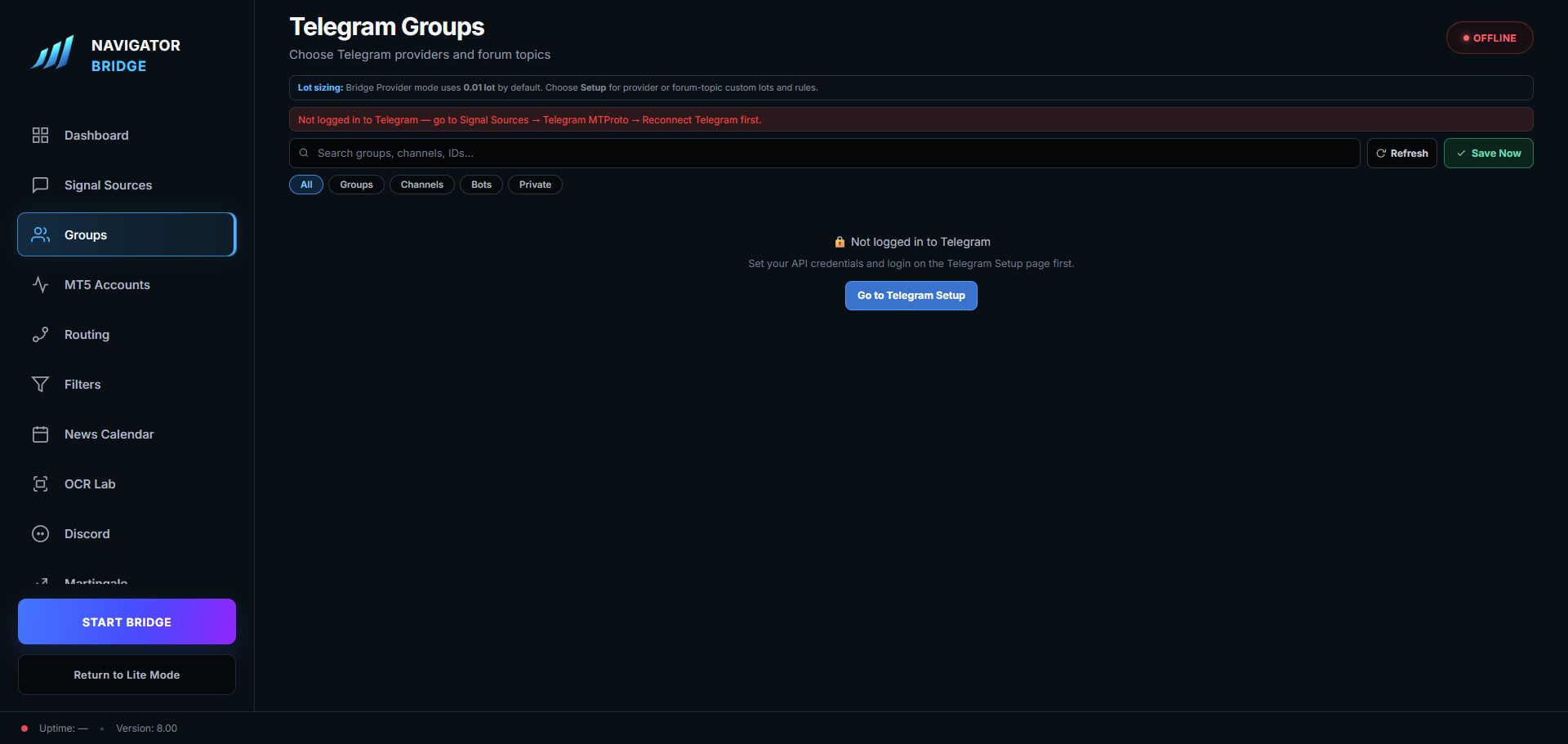
Refresh after login. Filter Groups, Channels, Bots or Private chats. Select only intended sources. Forum topics can be selected independently.
In BRIDGE PROVIDER mode, an unconfigured provider defaults to 0.01 total lot. A topic inherits its provider lot until an override is saved. TCU allocates broker-step TP legs.
Provider/topic policy may allow or disable entry, update and management action families. Existing providers keep normal actions unless you disable them.
Reject late entries with a short freshness window. Safety management of an already tracked trade remains separate.
Provider opt-in. A strict SL/TP follow-up links only one recent same-provider, same-topic entry missing protection. Window is 1–10 minutes; ambiguity fails closed.
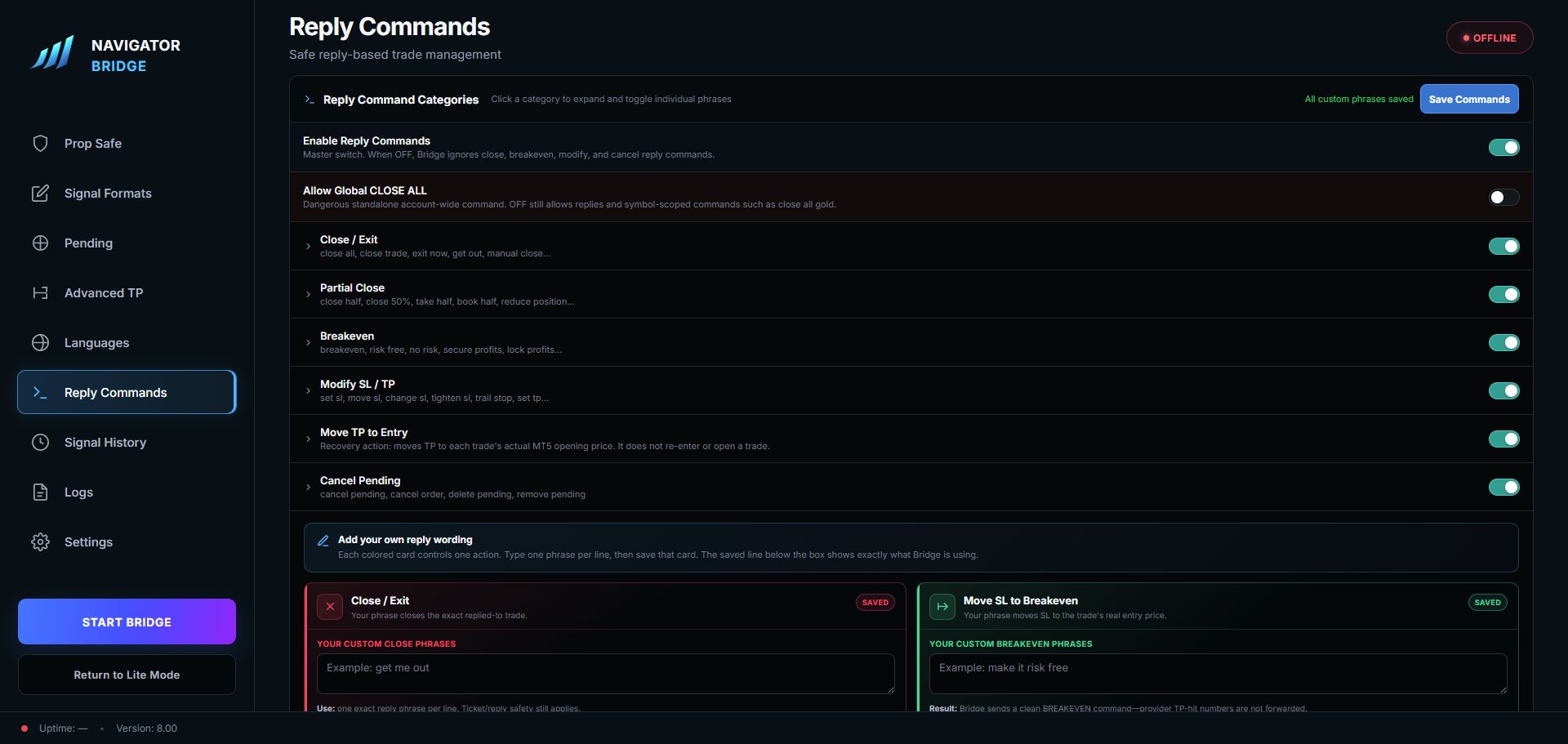
Exact phrases may map to CLOSE, BREAKEVEN, MODIFY, TP_TO_ENTRY or CANCEL. Aliases never remove reply/ref/ticket proof.
Provider/topic → format rewrite → filters/classifier → parse → inverse → route → queue. The Format tester follows this path without enqueuing a trade.
Bridge aliases provider wording and applies entry whitelist/blacklist. TCU resolves the exact broker symbol/suffix. Qualified stock symbols stay intact; exchange ambiguity fails closed.
Bridge Skip Keywords are literal phrases with token boundaries. EA Keyword Replace/custom SL/TP/skip inputs apply to direct Bot/API/manual parsing, not normal Bridge Telegram messages.
Duplicate blocks exact replay in its window. EA cooldown blocks same-symbol/same-direction entry for a configured time; an allowed SL/TP follow-up can still modify.
BUY XAUUSD
ENTRY: 2500.00
SL: 2490.00
TP1: 2510.00
TP2: 2520.00
TP3: OPENEach MT5 client has its own heartbeat, route, queue watermark, ticket registry and callback. One client rejection does not consume another client’s command.
EA FIXED/RISK/BALANCE/per-symbol calculates locally. BRIDGE PROVIDER accepts one provider/topic total and allocates TP legs. The selected mode decides ownership.
SigTP supports TP1–TP5 split or virtual modes, fair broker-step allocation, runners and pending multi-TP. Pending/zone/stop-limit still require correct side, distance, expiry and market session.
Bridge Prop Safe transforms upstream; EA Prop is the final account guard. Pauses block new exposure while verified risk-reducing management can continue.
When enabled, Bridge persists one exact-account CLOSE ALL per weekend cycle from Friday 22:00 UTC minus the buffer, blocks stale/new entries until Sunday 22:00 UTC and avoids replay on restart.
DISARMED, invalid stops, missing symbol and broker rejection can appear as red ticketless Activity rows. Intentional duplicate/cooldown SKIPPED rows are amber.
Select a page for ownership, interactions and a safe starting point.
Filter has six internal pages. Martin is an advanced recovery surface and should remain disabled for beginners.
SELL EURUSD
ENTRY: MARKET
SL: 1.1700
TP1: 1.1650
TP2: 1.1600
TP3: 1.1550BUY LIMIT XAUUSD 2480.00
SL: 2465.00
TP1: 2500.00
TP2: 2520.00BUY XAUUSD
ENTRY ZONE: 2480 - 2485
SL: 2465
TP1: 2500
TP2: 2520Only after enabling that provider’s split-message rule.
ENTRY: OPEN
SL: 2465
TP1: 2500
TP2: 2520Telegram user-account protocol used for chats visible to the logged-in account.
Separate bot source that sees chats where the bot has access.
Source chat and optional forum subdivision whose rules Bridge applies.
Recent EA contact proving the exact MT5 client is online.
One total lot supplied by provider/topic policy and split by TCU.
Durable Bridge identity used with registered tickets for exact management.
Period during which the same signal replay is rejected.
EA rule blocking another same-symbol/same-direction entry for a period.
TCU split or virtual multi-target engine up to TP5.
Reject ambiguity instead of guessing a symbol, side, price or ticket.
Product/build: Bridge 8.00 / TCU edition + build
Time + timezone:
Source mode:
Provider + topic:
MT5 broker + exact symbol:
Bridge History result:
Activity Feed reason:
TCU Experts reason / broker retcode:
Expected outcome:
What changed immediately before: